Data Migration Plan: How to Move to a New System Without Losing Data or Business Continuity
Moving from spreadsheets or an old system to new software? This data migration plan covers audit, cleaning, mapping, rehearsals, cutover and rollback, so go-live day is boring.

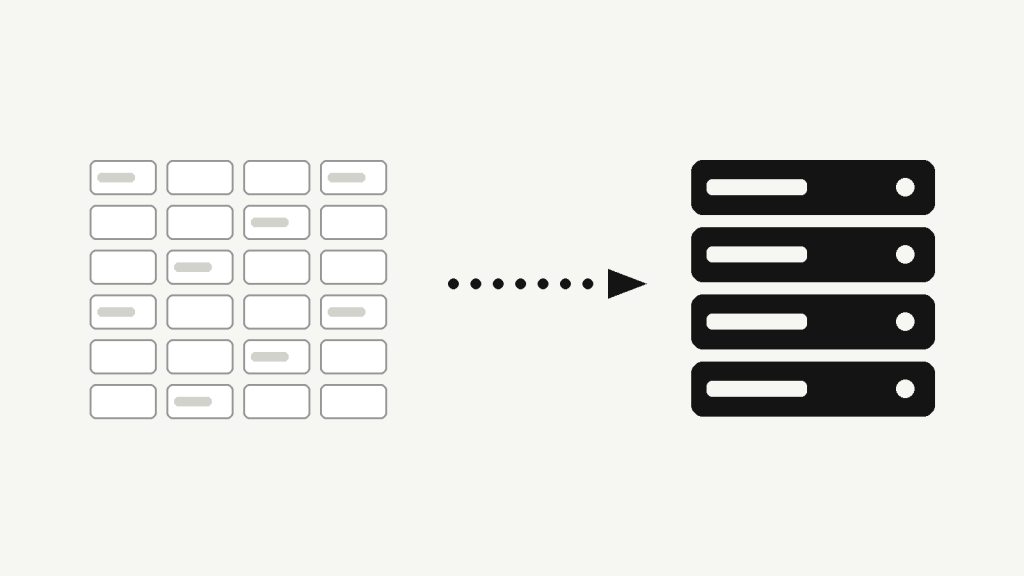
A good data migration plan is the difference between a new system that starts working on day one and one that starts with missing customers, duplicate invoices and a team that quietly goes back to Excel. Most businesses budget carefully for the new software and treat the data move as a footnote. In practice, it is where schedules slip, because the data is almost always messier, more connected and more important than anyone assumed.
This guide is for owners and managers replacing a legacy application, moving off spreadsheets, or switching platforms. It walks through the steps we use on real projects, what to ask your vendor, and the mistakes that cause most failed go-lives. It pairs well with our guides on legacy system modernization, writing a software project brief and the software handover checklist.
What a data migration actually involves
Data migration is not copying files. It is extracting data from a source, reshaping it to fit a new structure, loading it, and proving that nothing important changed on the way. Three things make it harder than it looks:
- The old system has hidden rules. A status code of “7”, a blank field that means “not applicable”, a customer entered three times with different spellings: none of this is written down, but reports and habits depend on it.
- The new system has its own rules. Required fields, unique constraints and different data types will reject records that the old system happily stored.
- The business keeps running. Orders, payments and bookings continue to arrive while you migrate, so the plan must handle data that changes mid-move.
The data migration plan, step by step
1. Inventory and audit the source data
List every place data lives: the main database, spreadsheets on individual laptops, email attachments, a third-party tool someone signed up for in 2021. For each source, note the owner, the approximate volume, how often it changes and how reliable it is. This audit usually reveals that the “single source of truth” is actually three partially overlapping ones.
2. Decide what to migrate, archive or leave behind
Not everything deserves a place in the new system. A useful rule of thumb is to sort records into three groups:
- Migrate: active customers, open orders, current contracts, products and prices, anything used in daily work.
- Archive: closed historical records you must keep for legal, tax or reporting reasons but rarely read. Store them in a read-only, searchable form.
- Discard: test data, duplicates and records with no business or legal value.
Retention requirements differ by country and sector, so confirm them with your accountant or legal adviser before deleting anything. A leaner data migration plan means a faster, cheaper and safer project.
3. Clean the data before you move it
Cleaning is cheaper in the old system, where people understand the data, than in the new one, where mistakes are copied at scale. Typical work includes:
- Merging duplicate customers and suppliers.
- Standardising formats for dates, phone numbers, addresses and currencies.
- Filling or flagging missing mandatory values.
- Resolving conflicting records, with a named person deciding which version wins.
Assign a business owner for this step. Developers can find duplicates; only your team knows which of two records is correct.
4. Map every field
Create a mapping document: for each field in the source, which field it becomes in the target, what transformation applies, and what happens when the value is empty or invalid. Pay special attention to relationships (customer to orders to invoices), because broken links are the most common cause of “the data is there but nothing makes sense” after go-live. Keep the original ID of every record as a reference column in the new system. It makes reconciliation and later support questions far easier.
5. Build repeatable migration scripts
Migration should be a script you can run again and again, not a manual effort. Repeatability means every defect found in testing is fixed in code and re-verified, and the final run on cutover day is the same process you rehearsed several times. One-off manual edits made “just this once” are exactly what cause surprises at the end.
6. Rehearse with trial migrations
Run at least two or three full trial migrations into a test environment using a recent copy of real data. After each run, check:
- Counts: records in the source versus records loaded, per entity, with every rejected record explained.
- Totals: financial sums, stock quantities and balances compared between old and new.
- Samples: a handful of real customers and orders checked line by line by the people who know them.
- Relationships: orders still attached to the right customers, invoices to the right orders.
- Timing: how long the final run takes, which defines how long the business must pause.
7. Plan the cutover and the rollback
The cutover plan answers three questions in writing: when does the old system stop accepting changes, who runs which step in which order, and who decides “go” or “no-go”. Choose a quiet window, such as a weekend or a slow season, and freeze changes in the old system during it. Equally important is the rollback plan: the exact point after which you can no longer return to the old system, and the steps to return before that point. Keep the old system available in read-only mode for several weeks after launch.
8. Verify, then support the first weeks
After go-live, run the same reconciliation checks against production, and ask each department to confirm its key reports match the old figures. Expect questions and small fixes in the first two weeks, and plan someone to handle them quickly. Early trust decides whether your team adopts the new system or works around it.
Common data migration mistakes
| Mistake | What happens | Better approach |
|---|---|---|
| Migrating everything “just in case” | Longer, riskier project; clutter in the new system | Migrate active data, archive history |
| Cleaning data only after loading | Errors multiply and are hard to trace | Clean in the source, with a business owner |
| Only one trial run | Surprises on cutover day | Two or three full rehearsals with timing |
| No rollback plan | A failed launch becomes a business outage | Define the point of no return in advance |
| Ignoring who owns data decisions | Endless disputes over which record is right | Name a business owner per data domain |
Practical example: from spreadsheets to a custom system
Consider a distribution company in which sales keeps customers in one Excel file, the warehouse keeps stock in another and accounting works from a third. Moving to a single custom system means first deciding which file is authoritative for customer names and VAT numbers, then merging the duplicates, then mapping stock items to product records with consistent units. In a trial run, reconciliation shows that two hundred open orders reference customers spelled differently from the master list. That is exactly the kind of problem you want to discover in week four, not on the morning you switch over. If this sounds familiar, our article on replacing spreadsheets with a custom web application (in Albanian) goes deeper on the starting point.
How to choose a partner for the migration
- They ask to see sample data and the people who use it before quoting.
- They propose trial migrations and reconciliation reports, not just a go-live date.
- They document the mapping and hand it to you, so you are not locked in.
- They can explain the rollback plan in plain language.
Frequently asked questions
How long does a data migration take?
It depends on the number of sources, the quality of the data and how many people must validate it. For a small business with a few sources, expect a few weeks of preparation and testing around the technical work. For multiple systems with poor data quality, plan months. The final cutover itself is typically hours to a few days.
Should we migrate historical data?
Migrate what people use daily, and archive what you must keep for legal or reporting reasons. Check retention rules with your accountant or lawyer before deleting anything.
Can the business keep operating during migration?
Yes, for most of the project. Only the final cutover needs a short freeze on changes. Careful planning keeps that window as small as possible, often a weekend.
What if something goes wrong after go-live?
That is what the rollback plan and the read-only old system are for. If the problem appears after the point of no return, you fix forward using the original IDs and reconciliation reports to find affected records.
Who should own the process on our side?
A business owner with authority over data decisions, supported by one or two people who know the day-to-day records. Migration is a business project with a technical part, not the other way around.
Planning a migration? Let’s make go-live uneventful
If you are replacing a legacy system, outgrowing spreadsheets or consolidating tools, our team can audit your data, build the migration scripts and run the cutover with you. Every engagement starts with a written data migration plan you keep. We work on systems integration, custom platforms and ongoing maintenance. Contact Shkulaku to request a consultation and describe what you are moving from and to.
I take on a small number of projects at a time. Tell me what you are building and I will tell you honestly whether I am the right person for it.
Get in touch →Keep reading
What Is MCP (Model Context Protocol)? A Practical Guide for Businesses
MCP is the open standard that lets AI assistants use your business tools and data through one consistent interface. Here is how it works, where it pays off and how to adopt it safely.
API Integration for Business: How to Connect Your Systems Without Brittle Glue Code
Most integration projects fail not at launch but three months later, when a retry creates a duplicate invoice. Here is how to connect your business systems so they keep working.
AI Email Automation for Business: Triage, Draft and Route Your Inbox Without Losing Control
Your team's inbox is a workflow system pretending to be a mailbox. Here is how AI email automation sorts, drafts and routes messages — and where a human must stay in the loop.