MCP servers for business: what they are and when your company needs one
MCP has become the standard way to connect AI assistants to real business systems. Here is what an MCP server does, where it pays off, and how to build one that is safe to put in front of your data.


An MCP server for business is the piece of software that lets an AI assistant — Claude, ChatGPT, Copilot, or your own agent — read from and act inside your company’s systems: your CRM, your database, your booking calendar, your internal documents. Two years ago every one of those connections was a custom integration. Today most of them are built on one open standard, the Model Context Protocol, and that changes what is realistic for a small or mid-sized company.
This guide explains what MCP is in plain terms, where an MCP server actually pays for itself, what to watch on security, and how to decide whether to build one now.
What is MCP (Model Context Protocol)?
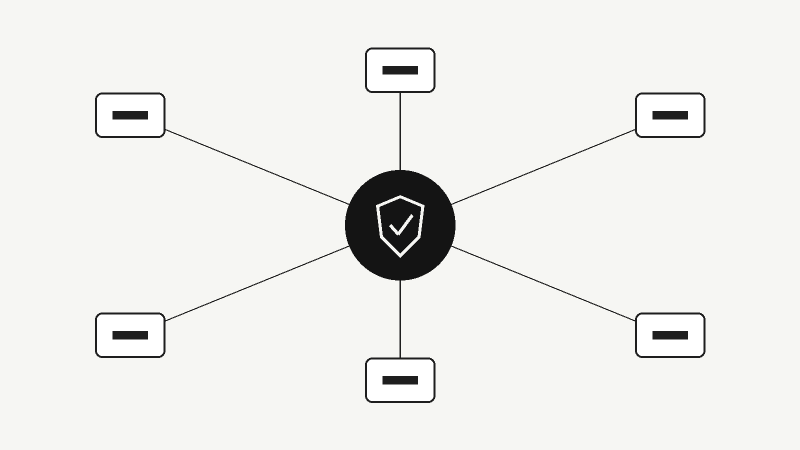
MCP is an open protocol that defines how AI applications talk to external tools and data. Anthropic introduced it in November 2024; it is now hosted under the Linux Foundation and supported across the industry. Think of it as a USB-C port for AI: instead of building one connector for Claude, another for ChatGPT and a third for your IDE, you build one MCP server and any MCP-compatible client can use it.
An MCP server exposes three kinds of things:
- Tools — actions the AI can take, such as “create invoice”, “find customer”, “check availability” or “update order status”.
- Resources — data the AI can read, such as a product catalogue, a policy document or a customer record.
- Prompts — reusable, pre-written instructions for common tasks.
The AI model decides when to call a tool; your server decides what is allowed and does the real work against your systems.
Why MCP matters for businesses in 2026
MCP is no longer an experiment. According to the official MCP project blog, the protocol’s main SDKs are approaching half a billion downloads a month, and the July 2026 specification was backed by AWS, Google Cloud, Microsoft and Cloudflare. That release also made the protocol stateless and hardened authorization — exactly the changes that make it practical to run behind normal load balancers and company login systems.
Gartner predicted that 40% of enterprise applications would include task-specific AI agents by the end of 2026, up from less than 5% in 2025. Those agents are only as useful as the systems they can reach — and MCP is how most of them reach them.
The practical consequence is simple: with a well-designed MCP server for business systems, your team (and eventually your customers) can use the AI tools they already pay for to work with your data, without copy-pasting between windows.
Real use cases for an MCP server for business
These are the patterns I see most often in client projects:
1. Internal operations assistant
A sales manager asks Claude “which leads from last week have not been contacted, and draft a follow-up for each”. The MCP server exposes read access to the CRM and a “create draft email” tool. No new dashboard needed.
2. Content and website management
A marketing team manages blog posts, SEO fields and images on their WordPress site through an AI assistant. The MCP server wraps the site’s API with clear, safe tools — “save draft”, “check SEO”, “list pages without meta description”.
3. Bookings and customer service
A clinic, salon or consultancy lets an AI assistant check real availability and book appointments, with a human approving anything unusual.
4. SaaS products that want to be “AI-ready”
If you sell software, an MCP server is quickly becoming the equivalent of a public API: customers expect to connect it to their AI tools. Shipping one is a competitive feature, not a side project.
MCP server vs. traditional API integration
| Traditional API integration | MCP server | |
|---|---|---|
| Built for | One specific app or workflow | Any MCP-compatible AI client |
| Who decides the steps | The developer, in code | The AI model, within the limits you set |
| Best for | Fixed, predictable processes | Varied requests in natural language |
| Main risk | Rigid, costly to change | Over-broad permissions if designed badly |
They are not competitors. A good MCP server usually sits on top of a clean API. If your processes are fully rule-based, a plain API integration may be cheaper and more reliable.
Security: where MCP projects go wrong
An MCP server gives an AI model real power over real systems. The protocol handles authentication well; the risks are almost always in the design of the tools themselves:
- Tools that are too broad. A single “run SQL query” tool is a disaster waiting to happen. Expose narrow, business-level actions instead.
- Missing user scoping. Every call must run with the permissions of the person using it, not an admin account.
- No human approval for risky actions. Sending emails, issuing refunds or deleting records should require confirmation. The 2026 spec makes mid-call confirmations easier to implement — use them.
- Prompt injection. Content the AI reads (an email, a web page, a document) can contain instructions. Treat everything the model reads as untrusted data and design tools so a manipulated model cannot do serious damage.
- No logs. You need a record of every tool call: who, what, when, with which result.
What it takes to build an MCP server for business
A focused MCP server over a system with a decent API is typically a few weeks of work, not months. The effort goes into:
- Choosing the tools — the ten actions that cover 80% of real requests, named and described so the model uses them correctly.
- Permissions and approvals — mapped to your existing user roles.
- Authentication — OAuth against your existing login, so staff do not share keys.
- Testing with real prompts — the way people actually phrase requests, including the messy ones.
- Monitoring — logs and alerts once it is live.
Running costs are small: an MCP server is a normal web service. The AI usage is paid for by whichever client calls it. For a breakdown of the model-side costs, see how much an AI agent costs to build and run.
Does your company need an MCP server?
It is probably worth it if at least two of these are true:
- Your team already uses Claude, ChatGPT or Copilot daily.
- People regularly copy data between the AI tool and your internal systems.
- You have a custom system (CRM, ERP, booking or order platform) that off-the-shelf connectors will never cover.
- You sell software and customers are asking how to connect it to AI.
If none are true yet, start smaller: a single AI agent for one workflow is a better first step.
Frequently asked questions
Is MCP only for Claude?
No. Anthropic created it, but MCP is an open standard supported by many AI clients and development tools. One server works across all of them.
Can an MCP server work with a WordPress or Laravel site?
Yes. Both are common targets. The server can live inside the application or run as a separate small service that calls its API.
Is it safe to connect AI to our customer data?
It can be, if the tools are narrow, calls are scoped to the user, risky actions need approval and everything is logged. The protocol does not make a badly designed tool safe.
How long does it take?
A focused first version usually takes a few weeks. Messy or undocumented systems take longer.
Talk to us about your MCP server
At Shkulaku we design and build agentic systems and MCP servers for companies that want AI working inside their real systems — not in a demo. If you have a CRM, platform or internal tool you would like your team to use through AI, send us a short description. We will tell you which tools make sense first, what an MCP server for your business would take, and whether MCP is the right approach at all.
I take on a small number of projects at a time. Tell me what you are building and I will tell you honestly whether I am the right person for it.
Get in touch →Keep reading

Si ta testosh një agjent AI para publikimit: udhëzues praktik për biznese
Një agjent AI që duket i shkëlqyer në demo mund të dështojë me klientët realë. Ja si ta testosh dhe vlerësosh para se ta lësh të prekë procese reale.

How to Test an AI Agent Before Launch: A Practical Evaluation Guide for Businesses
An AI agent that looks great in a demo can still fail on real customers. Here is a practical, business-friendly way to evaluate and test an AI agent before you let it touch real workflows.
AI Policy for Employees: How to Handle Shadow AI at Work Without Banning It
Most of your team is probably already using AI tools you never approved. Here is how to write a practical AI policy for employees, reduce shadow AI risk and replace risky habits with tools that work.
1 comment